Recurrence
Everything you need to keep up with what repeats
Recurrence is built around one idea: a recurring task is never really done. It comes back, and it helps to know when you last did it.
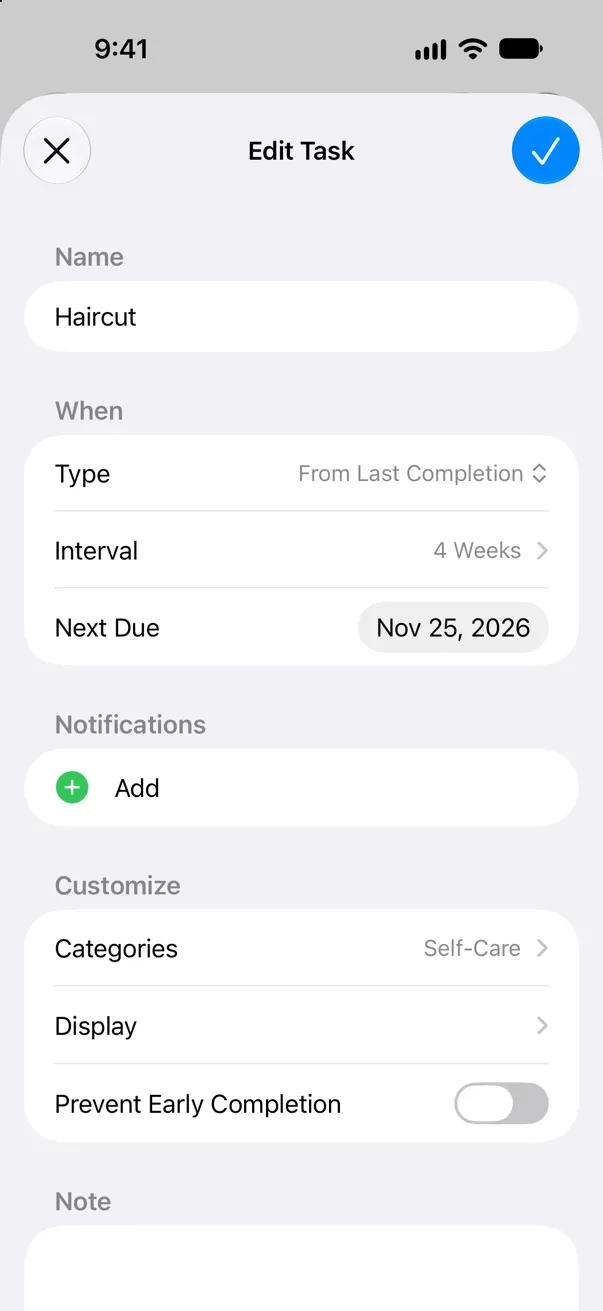
Repeat on any schedule
Set a task to repeat on calendar dates, like every Thursday or the 1st of the month, or a set time after you last did it, like 6 weeks after your last haircut.
- Daily, weekly, monthly and yearly calendar schedules
- Repeat a set time after the last completion
- Lock a task so it can’t be checked off before it’s due
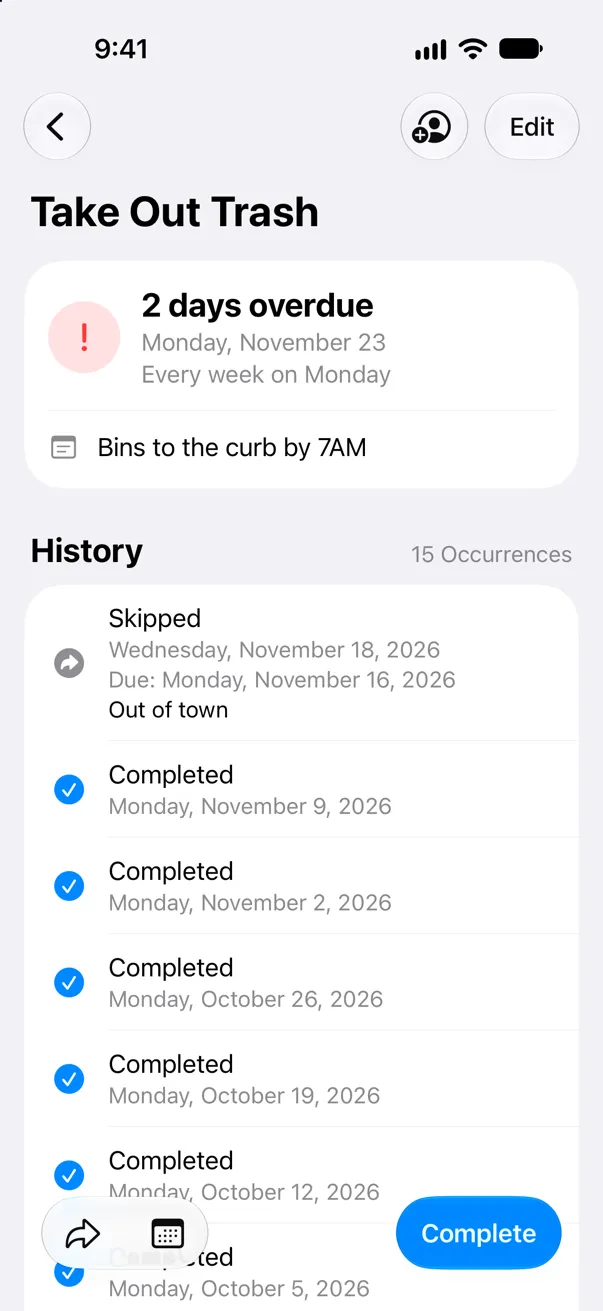
A complete history for every routine
Each completion is saved with its date and an optional note. Skipped ones are logged too, so the record stays honest.
- Notes on every completion
- Done or skipped, it’s logged
- See how often a task really gets done
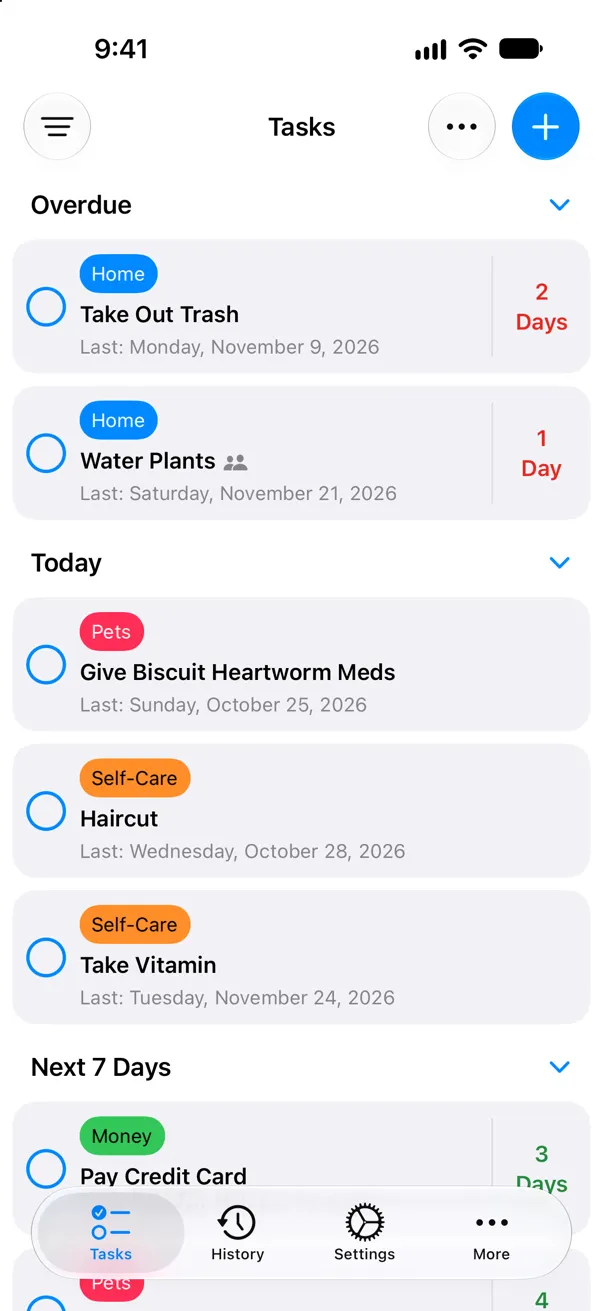
Reminders that fit the task
Get a notification days before something is due, on the day, or once it’s overdue. Set defaults once, or tune each task.
- Before, on and after the due date
- Per-task notification settings
- Mark tasks done with Siri Shortcuts
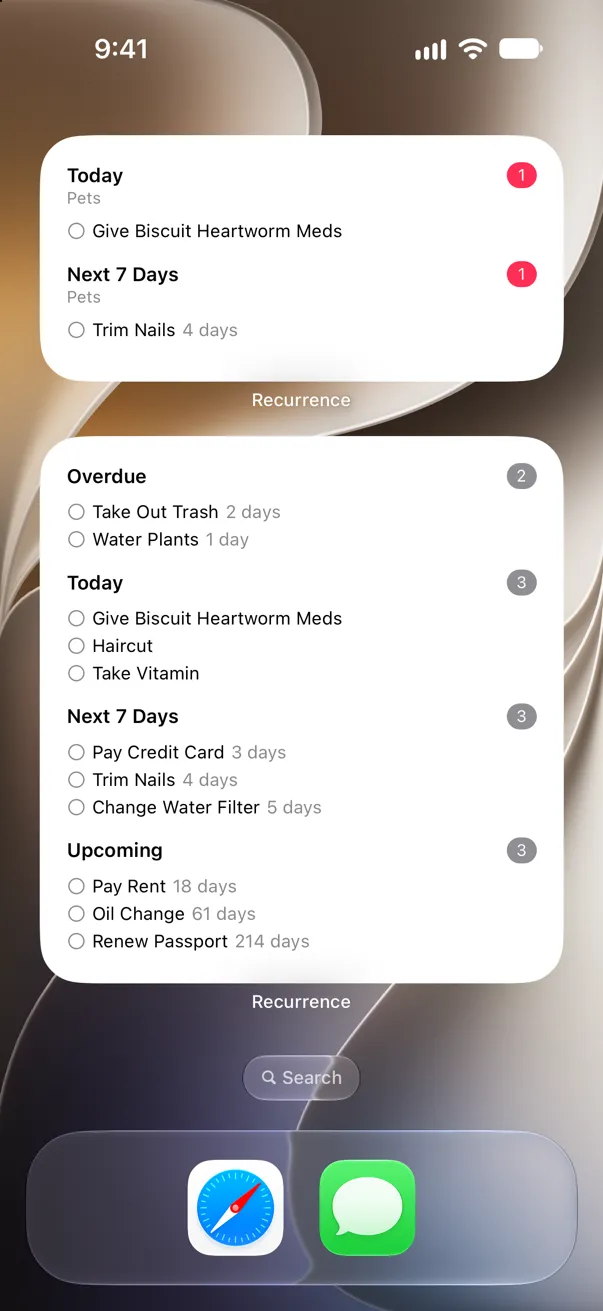
Your list, at a glance
Widgets show what’s overdue, due today and coming up, right on your Home Screen or Lock Screen.
- Home Screen and Lock Screen widgets
- Filter a widget to one category
- Categories, search and filters in the app
Stay ahead of every recurring task
Track up to 5 tasks for free. Recurrence Premium unlocks unlimited tasks and shared tasks, as a monthly or yearly subscription or a one-time lifetime purchase.